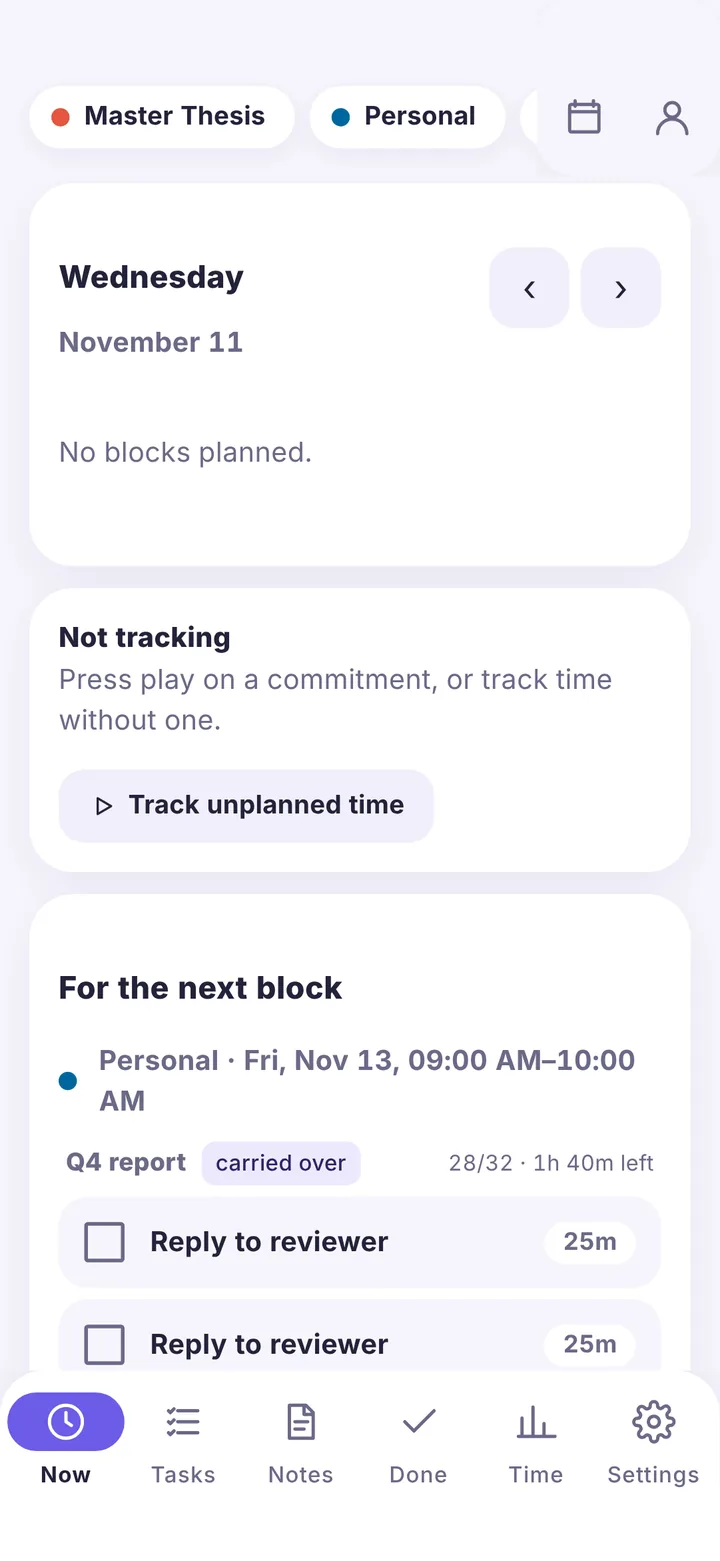
Now
Today as a timeline, the running timer, and only the tasks for this block.

Give each commitment blocks of time in the calendar. Blockwise fills every block with the next tasks, tracks your time with one tap, and shows where your week really went.
A time-blocking planner and time tracker for Mac, Android and Nextcloud

What you give time to: Thesis, Work, Teaching. Each one gets its own color and its own calendar.
Every event in a commitment's calendar is a block of time for it. Drag to plan them; repeat them every weekday or every week.
Tasks queue up per commitment, with subtasks and estimates like "Draft 45m". Each block takes tasks from the top until it's full; what you don't finish moves to the next block.
Track time with one tap, on the Mac from the menu bar too. Forgot to start? Move the start back. Done and Time show your week as it really was.
Day, week and month. Drag to create, move or resize a block; click one to see the tasks waiting in it. Use the built-in calendar, Apple Calendar or your Nextcloud calendars.

Today as a timeline, the running timer, and only the tasks for this block.
Hours per week for each commitment, with progress on the Now page.
An ordered queue per commitment. Check off subtasks in order; it warns you when the tasks need more time than the blocks have.
Notes per commitment in Markdown, with checklists you can tick.
Optional Pomodoro rounds, and a reminder before a block ends.
Your week on a timeline: planned blocks, tracked time and what you checked off. Hours per commitment, with CSV export.
No accounts with us, no tracking, no ads. Blockwise works offline and syncs only where you choose.
On your own server. Blocks are events in Nextcloud Calendar; Mac, phone and web stay in sync.
Mac only. Synced through your own Dropbox or Google Drive, end-to-end encrypted with a passphrase only you know.
No sync at all. You can connect a sync later and your data comes along.
Free and open source (AGPL-3.0). English and Italian.
Apple silicon, macOS 13 or later
Download for Mac (.dmg)Android 8 or later · needs a Nextcloud
Download for Android (.apk)Nextcloud 32 to 35, with the Calendar app
Download the Nextcloud app